

What is the 3-2-1 backup rule? It means keeping 3 copies of your files, on 2 types of storage, with 1 copy stored offsite. If your laptop holds all your client work, this simple habit can save your income, your reputation, and your weekend.
Most freelancers do not think about backups until something breaks. Then it is too late. A dead drive, a stolen bag, or a spilled coffee can wipe out months of work in seconds.
This guide answers one question in plain words: what is the 3-2-1 backup rule? You will see how it works, what it costs, and how to set it up in one afternoon. If you want more help with online storage, browse our Cloud Hub or the wider Cloud & Storage section.
What Is the 3-2-1 Backup Rule?
The 3-2-1 backup rule is a simple plan for protecting your data. It was popularized by photographer Peter Krogh, who wrote about it in his book on digital asset management. The US government’s cyber agency also lists it in its own data backup guidance.
Here is the rule in three lines:
- 3 copies: your original files plus two backups.
- 2 media types: two different kinds of storage, such as a hard drive and the cloud.
- 1 offsite copy: one backup kept away from your home or office.
That is it. No special software skills needed. Each number covers a different kind of failure, and together they leave very few ways to lose your work.

Why One Backup Copy Puts Your Client Work at Risk
Many freelancers think one backup is enough. It feels safe. You have your laptop, and you have one external drive. Done.
But one backup is a single point of failure. Drives fail. Backblaze, a cloud backup company, tracks thousands of drives every year. Its 2025 Drive Stats report found an annual failure rate of about 1.36% across its fleet. That sounds small. But it adds up over a few years of use, and home drives often live rougher lives than data center drives.
Now think about the other risks. Theft. Fire. A bag left on a train. Ransomware. If your laptop and your only backup sit on the same desk, one bad day takes both.
Real cost for freelancers: Lost client files can mean missed deadlines, unpaid hours, and a damaged reputation. You do not have an IT team to rescue you. Your backup is your IT team.
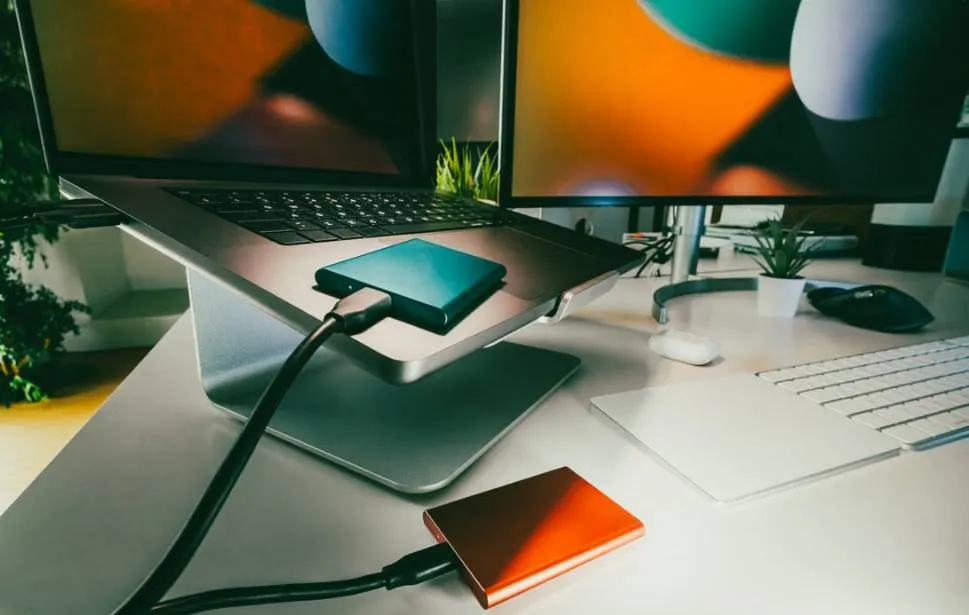
How the 3-2-1 Backup Rule Works: 3 Copies, 2 Media Types, 1 Offsite
3 copies of your data
Your working files count as copy one. Then you add two backups. If one copy fails, you still have two left. The odds of three copies failing at once are very low.
2 different media types
“Media” just means the kind of storage. Different types fail in different ways, so mixing them protects you. Common types include:
- Internal drive: the SSD or hard drive inside your laptop.
- External drive: a portable SSD or hard drive you plug in.
- NAS: a small home storage box on your network.
- Cloud storage: files kept on a company’s servers online.
1 copy offsite
Offsite means away from where you work. Fire, flood, or theft will not reach it. For most freelancers, the easiest offsite copy is a cloud backup. Another option is a drive kept at a friend’s or family member’s home.
3-2-1 Backup Rule Example for Freelancers
Still wondering what is the 3-2-1 backup rule in real life? Say you are a freelance designer. All your client projects sit on one laptop. Here is a simple 3-2-1 setup:
- Copy 1: your project files on the laptop’s internal drive.
- Copy 2: a portable external drive that backs up automatically when plugged in.
- Copy 3: a cloud backup service that runs quietly in the background.
Count it up. That is 3 copies. The laptop drive, the external drive, and the cloud make 2 media types (or even 3). The cloud copy is your 1 offsite backup. Rule met.
If the laptop dies, restore from the external drive. If the laptop and the drive are both stolen, restore from the cloud. You are covered either way.
Where to Store Your Backups: External Drive, NAS, and Cloud
You have three main choices. Each has strengths and limits. Prices below are rough estimates and change often, so check current prices before you buy.
| Option | Best for | Rough cost | Watch out for |
|---|---|---|---|
| External drive | Fast, cheap local backup | About $60–$120 for 1–2 TB | Can be stolen or damaged along with your laptop |
| NAS (e.g., Synology) | Several devices, large files, auto backups | About $300–$600 with drives | Setup takes time; still sits in your office |
| Cloud backup | Your offsite copy | About $99 per year for one computer (Backblaze) | Slow first upload; ongoing fee |
For most freelancers, an external drive plus a cloud backup is the sweet spot. A NAS makes sense if you work with huge video or photo libraries, or if you have a small team. Brands like Synology make beginner-friendly models. Want to compare online options? Our Cloud Hub is a good place to start.

Is Cloud Sync (Dropbox, Google Drive) a Backup?
Not really. This is the most common mistake freelancers make. Sync tools like Dropbox and Google Drive keep the same files on all your devices. That is handy for access. But it is not the same as a backup.
Why? Because sync copies your mistakes too. Delete a file, and the delete spreads everywhere. Get hit by ransomware, and the damage syncs to the cloud. Sync tools also keep deleted files and old versions for a limited time only, and how long depends on your plan. Check the Google Drive help pages for the current rules.
Cloud sync
Mirrors your current files. Deletes and overwrites spread to every device. Good for sharing and access.
Cloud backup
Keeps separate copies and older versions. You can roll back to a point before the problem. Good for recovery.
Keep using Dropbox or Google Drive to share files with clients. Just do not count it as one of your three copies unless you also have real backups behind it.
How to Set Up a 3-2-1 Backup Step by Step
You can do this in one afternoon. Here is the beginner version:
- Gather your client work. Put all projects in one main folder so nothing gets missed.
- Buy an external drive. Pick one at least twice the size of your files.
- Turn on automatic backup. Use Time Machine on Mac or File History on Windows. Set it and forget it.
- Pick a cloud backup service. Choose one that backs up in the background and keeps old versions.
- Run the first full backup. The first cloud upload can take days. Leave your laptop on at night.
- Check that all three copies exist. Open each one and look for your latest files.
Need extra help with tools and setup? Our Guides Hub has more beginner walkthroughs.

How Much Does a 3-2-1 Backup Cost? A Budget Breakdown
Less than most people expect. Here are three budget levels. Numbers are approximate.
| Level | What you get | Upfront cost | Yearly cost |
|---|---|---|---|
| Lean | 1 external drive + 1 cloud backup plan | About $60–$100 | About $99 |
| Comfortable | 2 external drives (swap one offsite) + cloud backup | About $120–$200 | About $99 |
| Heavy-duty | NAS + cloud backup | About $300–$600 | About $99 |
The cloud figure is based on Backblaze’s flat-rate plan for one computer, which has been listed at $99 per year or $9 per month. Prices change, so confirm before you sign up. Compare that with the cost of losing a client project, and the math is easy.
Is the 3-2-1 Backup Rule Outdated? 3-2-1-1-0 and 4-3-2-1 Explained
No. It is still a solid base. But ransomware has changed the game. Attackers now try to find and encrypt your backups too. So security companies added extra steps.
- 3-2-1-1-0: adds one copy that is offline or cannot be changed (immutable), plus zero errors when you test your restores. Veeam promotes this version.
- 4-3-2-1 style rules: add more copies and more offsite redundancy. Names vary by vendor, and some guides compare these variants.
Do freelancers need all this? Not on day one. Start with 3-2-1. Then add one upgrade: keep your external drive unplugged when it is not backing up. An unplugged drive cannot be hit by ransomware. That is a cheap version of the extra “1.”
Common 3-2-1 Backup Mistakes Freelancers Make
- Treating sync as backup: deleted or damaged files spread everywhere.
- Keeping all copies in one place: a laptop and a drive in the same bag are one theft away from disaster.
- Never testing restores: a backup you cannot open is not a backup.
- Backing up by hand: if you must remember, you will forget. Automate it.
- Skipping encryption: client data on an unlocked drive is a liability.
- Ignoring failure alerts: a backup app that has failed for weeks protects nothing.
How to Test Your Backup (So It Works When You Need It)
Testing is the step most people skip. It is also the step that matters most. The “0” in 3-2-1-1-0 stands for zero errors, and Veeam stresses recovery checks for the same reason.
Try this quick test once a month:
- Pick one client folder at random.
- Restore it from the external drive to your desktop. Open a few files.
- Do the same from your cloud backup.
- Check that the latest version of each file is there.
Quick tip: Put a repeating reminder on your calendar. Ten minutes a month is a small price for peace of mind.
How to Protect Client Data: Encryption and Passwords
Backups hold your clients’ private files. So they need protection too. A stolen, unlocked drive is a data breach waiting to happen.
- Encrypt your external drive. Windows (BitLocker) and Mac (FileVault) both include built-in tools.
- Use a strong, unique password for your cloud backup account. A password manager makes this easy.
- Turn on two-factor authentication for every backup and storage account.
- Check your client contracts. Some clients ask how and where their files are stored.
For more on keeping your accounts and files safe, visit our Security Hub.
Frequently Asked Questions
What is the 3-2-1 backup rule in simple words?
Keep three copies of your files. Store them on two kinds of storage. Keep one copy away from your home or office.
Do the 3 copies include my original files?
Yes. Your working files are copy one. You then need two more backups, for three in total.
Is Google Drive or Dropbox enough as my backup?
Not on its own. Sync tools copy deletes and damage across devices. Use them for sharing, and add a real backup behind them. See our Guides Hub for more help.
Is an external drive plus cloud backup enough for a freelancer?
For most freelancers, yes. Your laptop, the external drive, and a cloud backup give you three copies, two or more media types, and one offsite copy.
How often should I back up?
As often as your work changes. Automatic or continuous backup is best. If you can only do it by hand, back up at the end of every work day.
How much does it cost to follow the 3-2-1 rule?
A basic setup is roughly $60–$100 for a drive, plus about $99 per year for cloud backup. Prices change, so check current offers. Browse our Cloud Hub for options.
Is the 3-2-1 rule still enough against ransomware?
It is a strong start, but ransomware can target backups too. Add one offline or unchangeable copy, such as an external drive you unplug after each backup.
How do I know my backup works?
Test it. Restore a random folder once a month and open the files. If it opens, it works.
Final Thoughts
So, what is the 3-2-1 backup rule? It is three copies, two media types, and one offsite copy. It is simple, cheap, and proven. For a freelancer with client work on one device, it is the difference between a bad day and a lost business.
Start today. Buy the drive, turn on a cloud backup, and run your first test. Then explore more in our Guides Hub to keep building a safer setup.